SafePal Wallet to Binance Withdrawal: Step-by-Step Authorization & Transfer Guide

SafePal is a popular non-custodial cryptocurrency wallet that allows users to store and manage their digital assets securely. However, many users face confusion when they need to move funds from SafePal to Binance, especially regarding the authorization process and withdrawal steps. This article explains how to authorize SafePal for Binance withdrawals and complete the transfer efficiently.
First, understand that SafePal does not require direct authorization to Binance. Instead, you need to authorize transactions on the blockchain. To withdraw funds from Binance to SafePal, you only need your SafePal wallet address. Conversely, to send assets from SafePal to Binance, you must authorize the outgoing transaction within the SafePal app. This is done by signing the transaction using your private key or hardware wallet, depending on your SafePal setup.
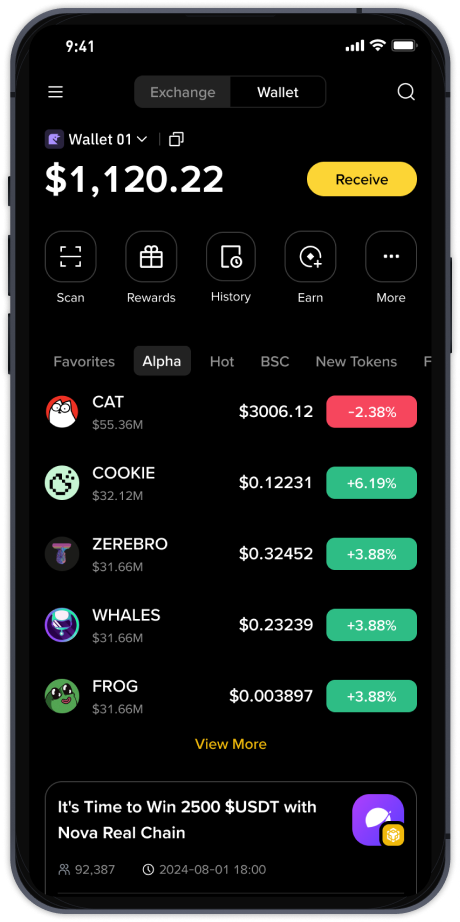
To start, open your SafePal app and navigate to the "Wallet" tab. Select the cryptocurrency you want to withdraw to Binance. Tap "Send" and paste your Binance deposit address. Make sure you copy the correct address from Binance. Double-check that the network matches—for example, if you are sending USDT, choose the same network (ERC20, BEP20, TRC20) on both sides. Errors in network selection can result in permanent loss of funds.
After entering the amount, SafePal will prompt you to authorize the transaction. For SafePal hardware wallets, you must confirm the transaction on the device. For the software wallet, you will enter your PIN or use biometric authentication. This step is the "authorization" process. Once confirmed, the transaction is broadcast to the blockchain. You can track its status on a block explorer using the transaction hash.
To withdraw from Binance to SafePal, log in to your Binance account. Go to "Wallet" > "Fiat and Spot" and find the asset you want to withdraw. Click "Withdraw." In the withdrawal form, enter your SafePal wallet address. Again, verify the network compatibility. Binance may require additional verification, such as email or SMS confirmation. After submitting, Binance processes the withdrawal, and the funds will appear in your SafePal wallet once the blockchain confirms the transaction.
Common issues include incorrect address entry, network mismatch, or insufficient gas fees. On SafePal, ensure you have enough native token for gas (e.g., ETH for Ethereum network, BNB for Binance Smart Chain). Without sufficient gas, the authorization and transfer will fail. On Binance, withdrawals may be delayed during network congestion. Always check the minimum withdrawal amount and fee displayed on Binance before proceeding.
For security, never share your private keys or recovery phrase. SafePal does not require you to give Binance access to your wallet. The authorization only happens when you sign a transaction within SafePal. If you need to move funds frequently, consider using a Binance Smart Chain address on SafePal to reduce fees and speed up transfers.
In summary, authorizing SafePal for Binance withdrawals simply means signing transactions on your SafePal device or app. To withdraw from Binance to SafePal, use your SafePal address and verify all details. Always test with a small amount first. Following these steps will help you securely transfer assets between SafePal and Binance without losing funds.